Union
RUSTRE allows to merge several xlsx workbooks with the same structure. The program checks that the headers are similar before proceeding with the merge

Copy files from your explorer
Press the
Pastebutton to add files to the listSet sheet index
Note
Sheet index is the zero based number of the workbook’s sheet.
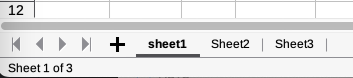
Here, Sheet3 has index 2
Define which line is the data header
Note
Header index is the zero based number of header line.
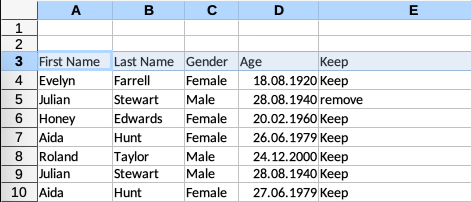
Here, header index is equal to 2
Choose a name and path for the merged file
Press the
Mergebutton